
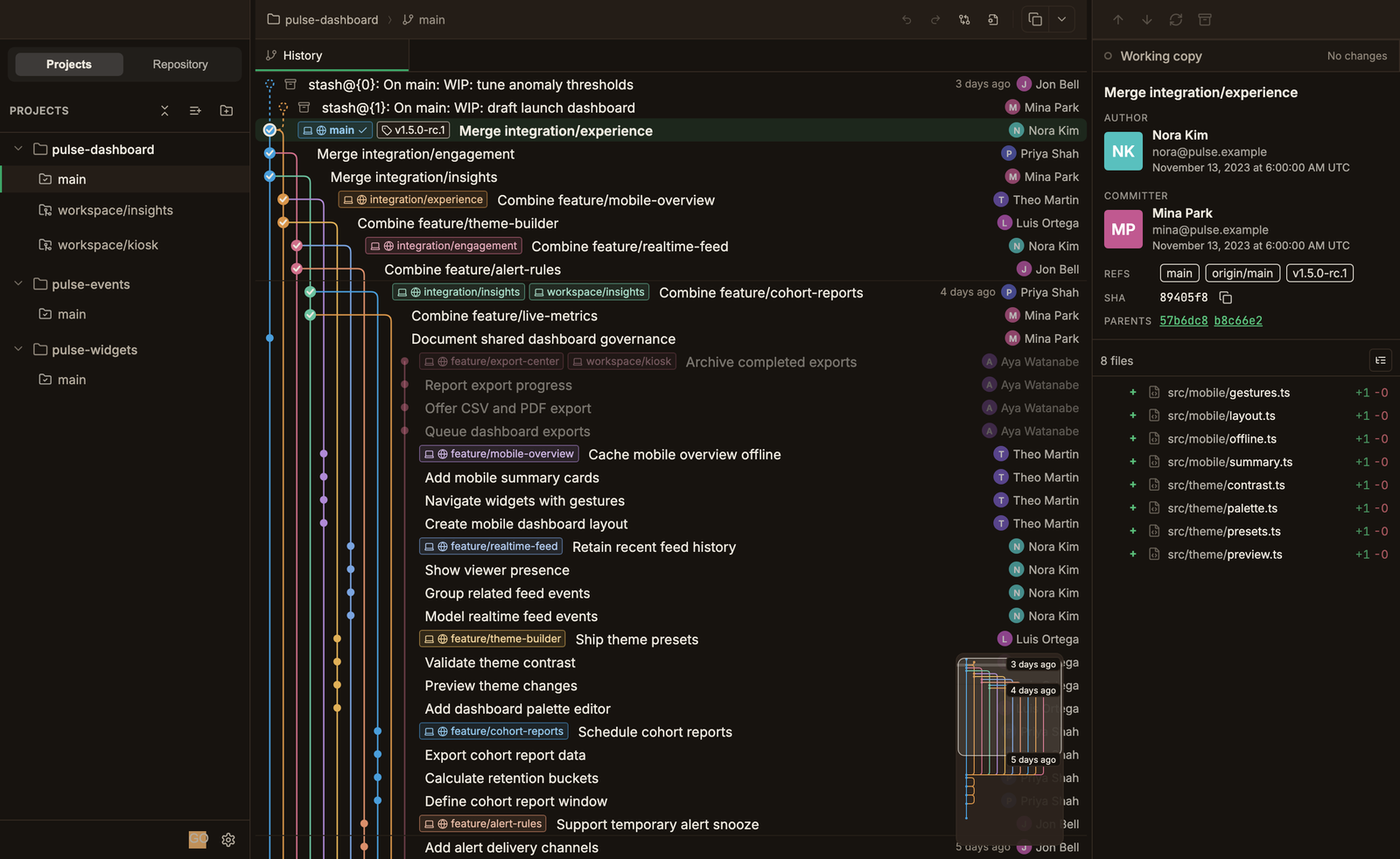
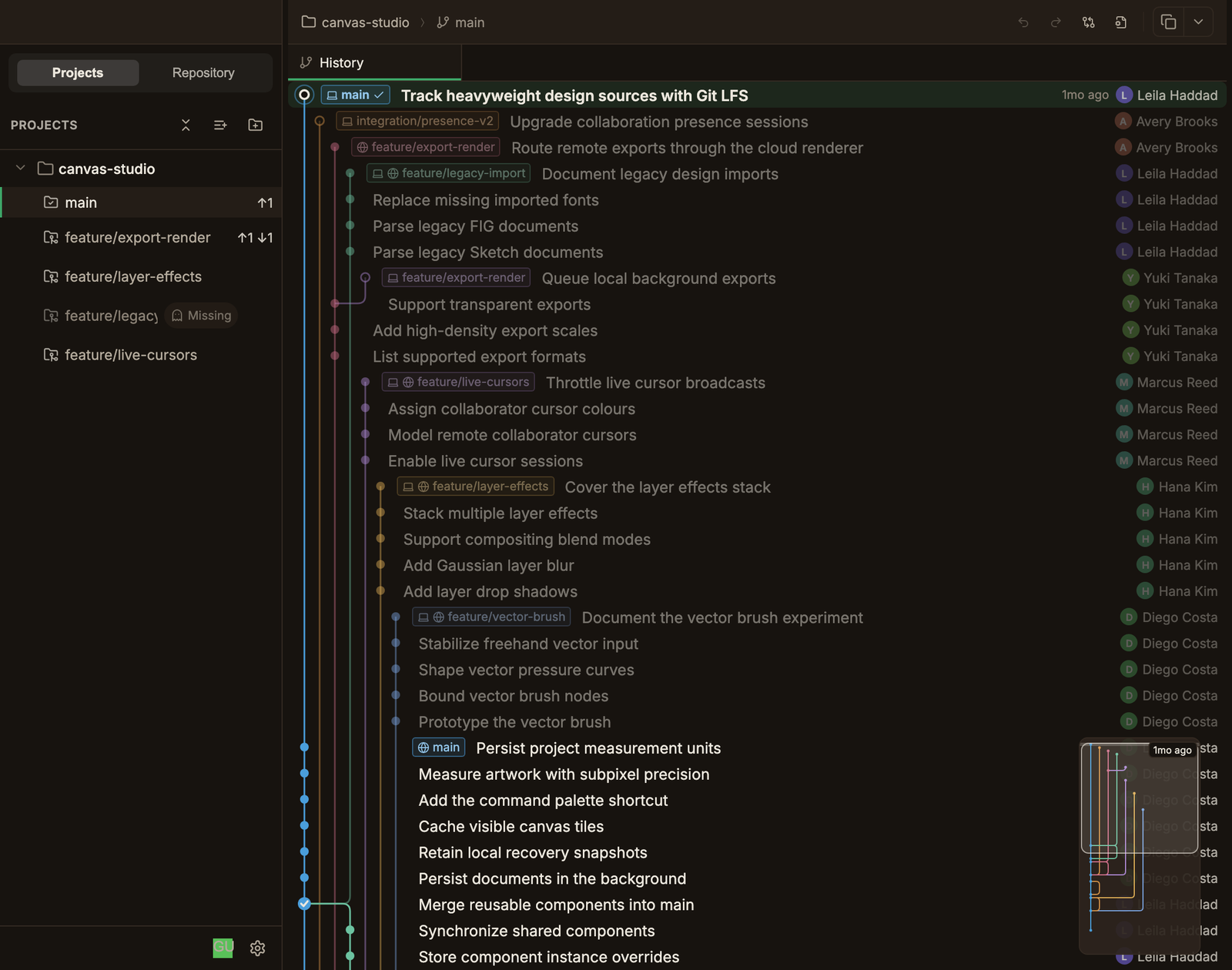
Streaming commit graph
It draws the moment you open it and does not slow down as commits pile up.
$ git worktree add ../hotfix
A separate working folder for each branch, and switching takes one click.
Branch, changes, and sync status for every worktree sit on one screen.
WORKS WITH: GITHUB, GITLAB, BITBUCKET, SELF-HOSTED, SSH
WORKTREE-FIRST
While an AI agent refactors,
you fix a bug in the worktree next to it without switching context.
HOW IT WORKS
Register a local repository or clone one.
Each project keeps its worktrees organized in a tree.
Pick a branch and create a worktree.
You get a new, isolated working folder.
The commit graph, changed files, and diff open instantly for every worktree.
You never wait for the whole repository to load.
Push with the account pinned to the repository.
You never wonder which account is in use.
STREAMING GRAPH
You do not wait for the whole repository to load.
The history starts flowing the moment the window opens.
Loading and rendering are separate, so scrolling and selection never stall as commits pile up.
MULTI-ACCOUNT
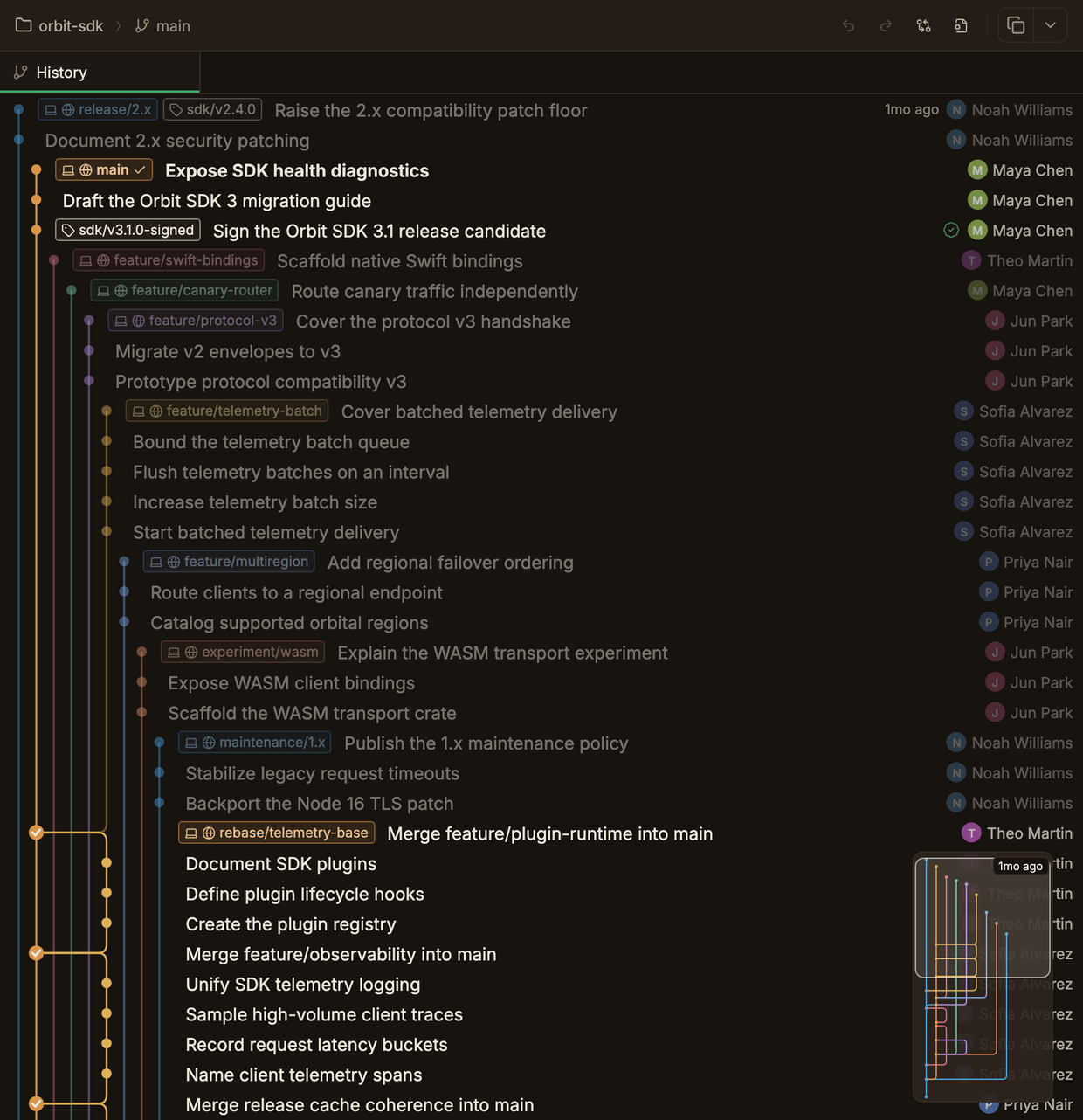
Keep GitHub, GitLab, Bitbucket, self-hosted server, and SSH accounts together.
Decide which account each repository uses, and the 'which account was it?' moment at push time disappears.
EVERYTHING INCLUDED
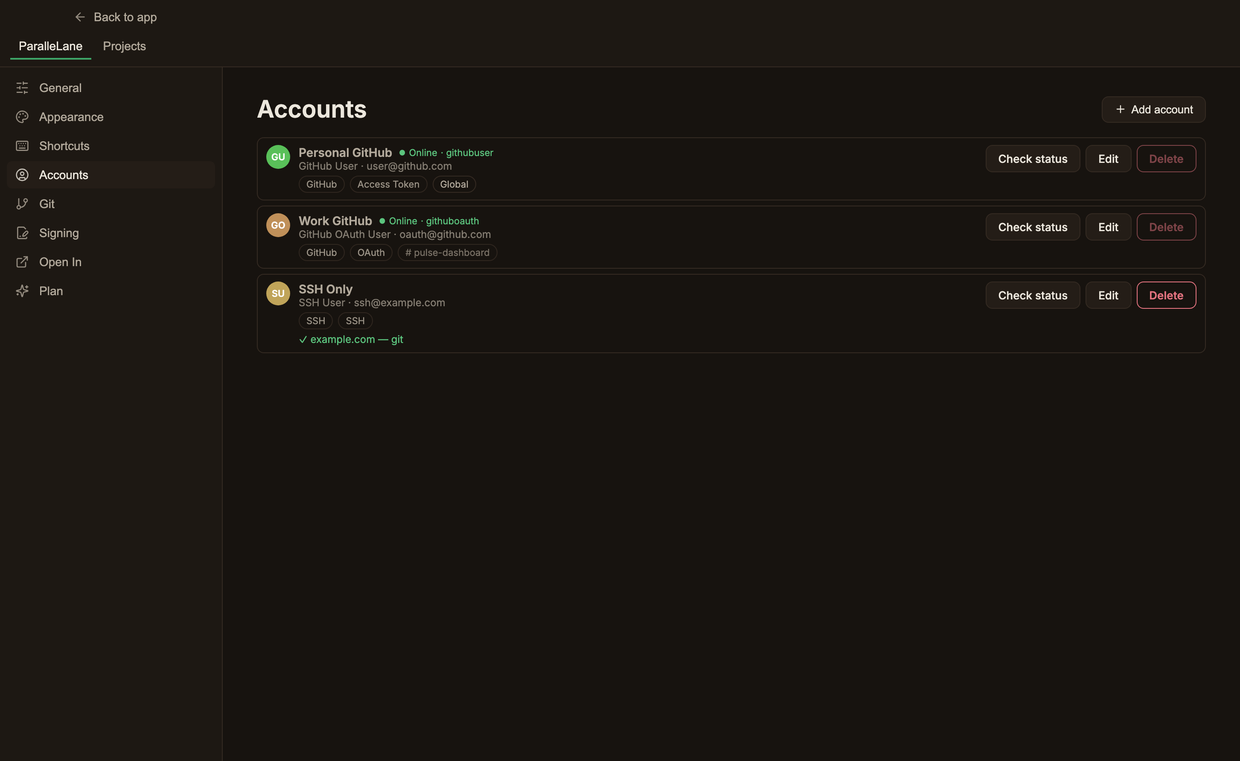
It draws the moment you open it and does not slow down as commits pile up.
See branch, changes, and sync status per worktree.
Register several accounts per platform side by side.
Nail down the account each repository pushes with.
Handle conflicted files and stashes right next to the graph.
Sort branches and tags automatically by rule.
In-house servers such as GitHub Enterprise and GitLab Server.
Sign your commits to prove who you are.
One minute is enough to install
macOS, Windows, Free for personal use, One-time purchase